How to Enable SMTP Authentication using Outlook Express ?
To activate SMTP Authentication in OUTLOOK EXPRESS, kindly adhere to the subsequent instructions.
- Launch Outlook Express.
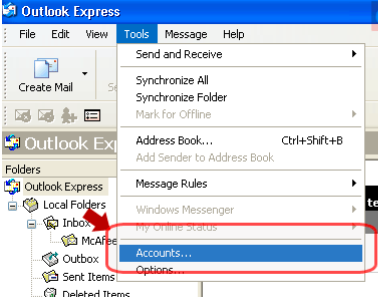
- Select the "Tools" tab from the menu and then opt for "Accounts"
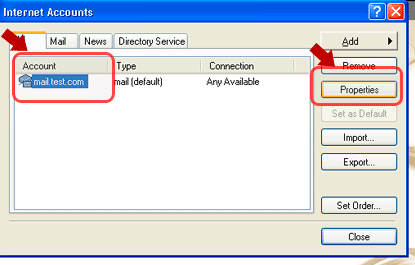
- Select the desired account to enable SMTP authentication by clicking on "Account," followed by clicking on "Properties."
- Select "Server" and tick the box next to "My Server requires authentication" and click on Finish button.
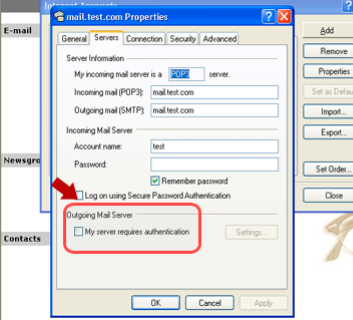
Your "SMTP Authentication" has been enabled in the Outlook Express